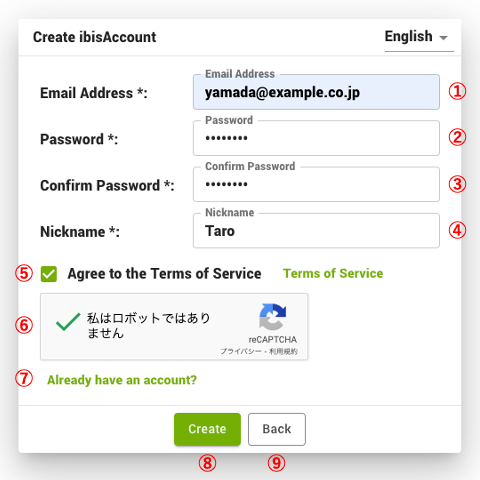
1.1. Create Account
- Open Site
- Create new account
- To create a new account, go to ① "Create new account".
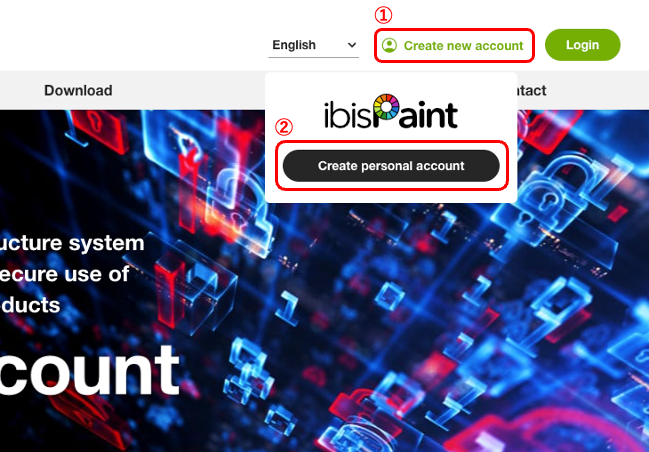
- Click ① "Create new account". A menu will appear. ② Click on "Create personal account" to create an personal account.
- Account Information Entry
- Enter ① account email address, ② password, ③ password (confirmation), ④ Nickname, ⑤ agreement to the Terms of Use, and ⑥ a non-robot statement, then click ⑦ Create. If you opened this Window by mistake, click ⑧ When you already have an account or ⑨ Back.