


- 1. ibisAccount Overview
- 2. Personal Settings
- 3. System Administrator
- 4. Login Authentication Function
- 5. Others
2.2.1. Add Authentication App Window
The "Add Authentication App Window" registers a new authentication app.
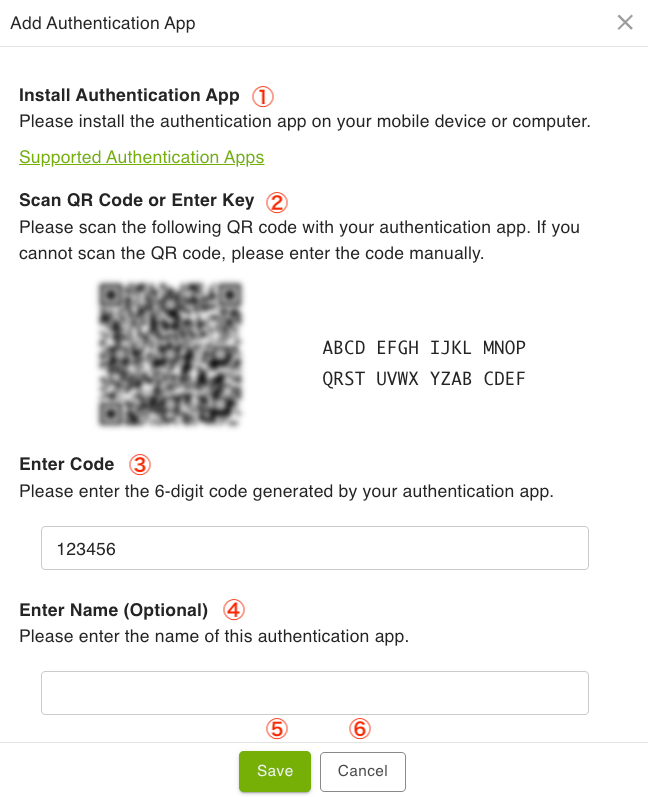
- ① Install Authentication App
- Install an authentication app on your smartphone or other device.
- Please refer to the FAQ for supported authentication apps.
- ② Scan QR Code or Enter Key
- Scan the QR code with the authentication app. Alternatively, you can register by entering the displayed secret key into the authentication app.
- ③ Enter Code
- Enter the 6-digit code displayed on the authentication app.
- ④ Enter Name (Optional)
- Enter the name of the authentication app.
- ⑤ Save
- Register the authentication app.
- ⑥ Cancel
- Cancels the registration of the authentication app.