


- 1. ibisAccount Overview
- 2. Personal Settings
- 3. System Administrator
- 4. Login Authentication Function
- 5. Others
3.8. Payment Information Window
The "Payment Information" window displays information on the credit card used to pay for ibis products and the department in charge of payment.
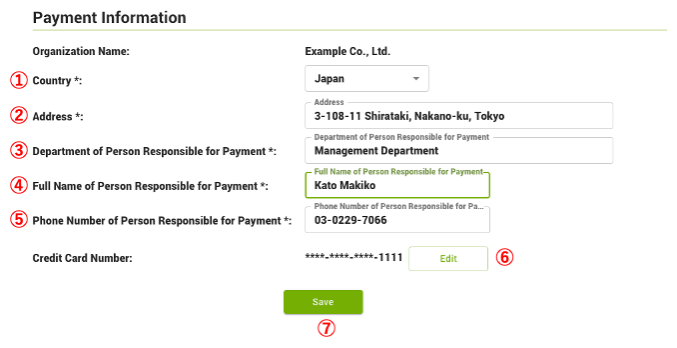
- ① Country (required)
- Select the Country.
- ② Address (required)
- Enter the address.
- ③ Department of Person Responsible for Payment (required)
- Enter the Department of Person Responsible for Payment.
- ④ Full Name of Person Responsible for Payment (required)
- Enter the Full Name of Person Responsible for Payment.
- ⑤ Phone Number of Person Responsible for Payment (required)
- Enter the Phone Number of Person Responsible for Payment.
- ⑥ Credit Card Number
- Click "Edit" to display the "Credit Card Information" window.
- ⑦ Save
- Save the settings.
<Payment Error History>
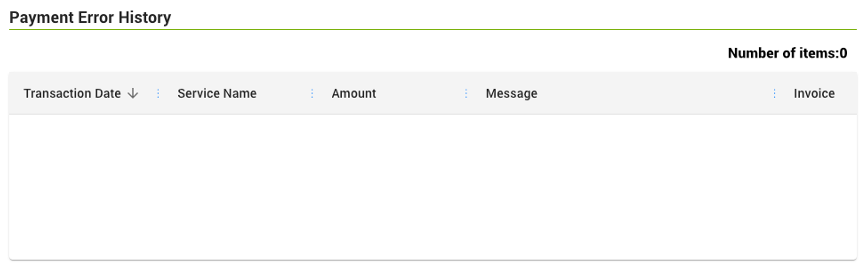
Displays payment information that resulted in an error.
<Payment Error Notification>
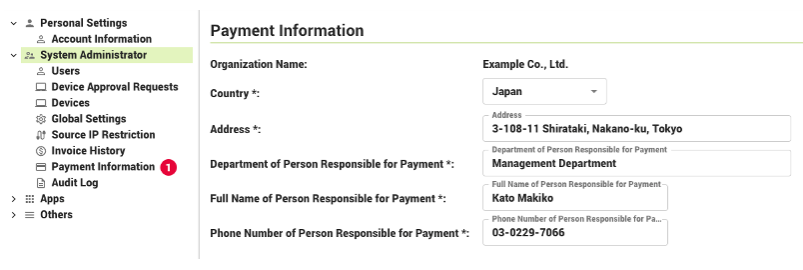
If a payment error occurs, a notification will appear in the "System Administrator" menu.