


- 1. ibisAccount Overview
- 2. Personal Settings
- 3. System Administrator
- 4. Login Authentication Function
- 5. Others
3.1. Users Window
The "Users" window displays a list of users who are participating the organization.
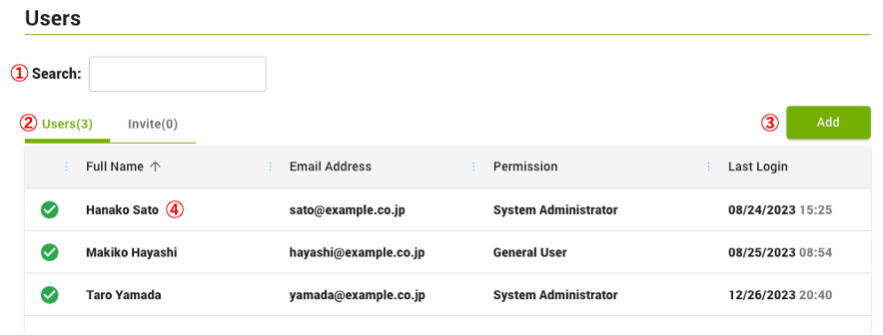
- ① Search
- Search for users by name or email address.
- ② Users
- Displays a list of users participating in the organization.
- ③ Add
- The "Invite User" window is displayed and an invitation email is sent to the new user.
- ④ User
- Clicking on a user displays the "Edit User" window.