


- 1. ibisAccount Overview
- 2. Personal Settings
- 3. System Administrator
- 4. Login Authentication Function
- 5. Others
3.3.2. Rejected
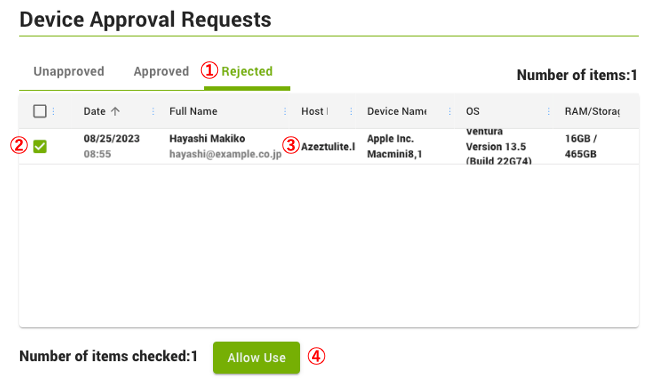
- ① Rejected
- Displays a list of devices that rejected the "Device Approval Request".
- ② Checkbox
- Select the devices to be allowed to use.
- ③ Device
- Clicking on a device displays the "Device Information" window.
- ④ Allow Use
- Permits the use of the selected devices.
The "Device Information" window displays information on the devices that the access to the organization have been denied.
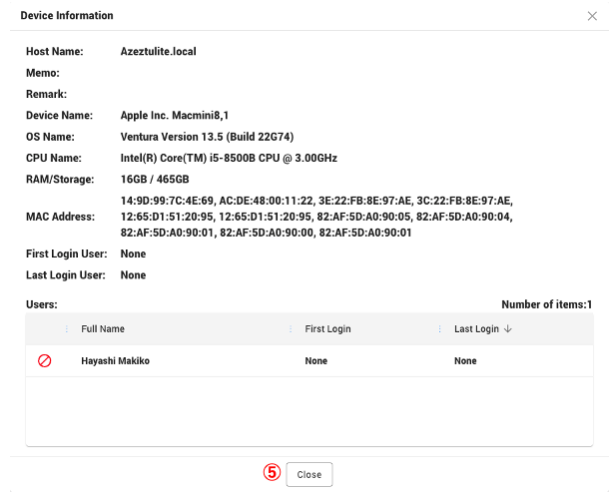
- ⑤ Close
- Close the "Device Information" window.